Description
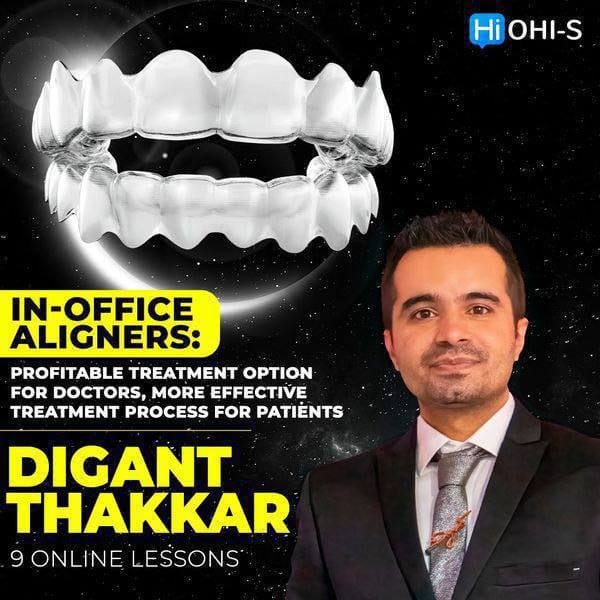
An easy way to start designing and manufacturing aligners on your own! A profitable treatment option for doctors and a more effective treatment process for patients.
The course is designed for:
– Beginners in orthodontics: you will learn the biomechanical aspects of aligners treatment and be able to design as well as manufacture aligners yourself at the very beginning of your career!
– Expert specialists in orthodontics: during the course you will be able to acquire numerous protocols and tips from the lecturer
– Prosthodontist: you will be able to treat mild forms of malocclusions yourself and prepare the patient for prosthetics
– Clinic Managers: you will explore all the equipment’s needed to be purchased to begin manufacturing aligners and take your clinic to a whole new level!
– Importance of 3D technologies in orthodontics
– Parts of Digital Orthodontics
– Scanners
– 3D printing simplified
– Types of 3D printers:
– FDM Printers
-SLA Printers
– Metal/DMLS printings
– DLP/LCD Printers.
– Build platform in 3D printers
– LCD module
– The expensive 3D printers
– Low cost DLP printer
– Criteria for choosing a printer
– Resin 3D printer calibration
– Supports in 3D printing
– Saving cost of 3D printing
– Horizontal and vertical printing
– Live placement of models and supports in Chitubox software.
Recommended for: Orthodontists, General dentists.
– Typical aligner manufacturing steps
– Scan strategies
– Intraoral scanning demonstration
– Bubbles in scan
– Designing aligners
– Workflow using ArchForm Software
– Tips for the design of aligner
– The art of delegation
– 3D printer workflow
– Post process
– Print check
– Tips and tricks for 3D printing
– Thermoformers
– Types of thermoformers
– Aligners and attachments sheets specs
– Trim-check.
Recommended for: Orthodontists, General dentists.
– Import scans
– Orient scans
– Creating digital base
– Segmentation/digital kesling set-up
– Defining VTO (Visualised treatment objective)
– Balance in X-Y-Z axis
– Attachments planning
– Building personalized attachments
– Staging tooth movements
– Adding 3D objects to the designed aligner treatment plan
– Pontic creation in extraction cases
– Exporting models and special features.
Recommended for: Orthodontists, General dentists.
– Keyboard shortcuts
– Import scans
– Orient scans
– Trim excess
– Segmentation/digital kesling setup
– Defining VTO (Visualised treatment objective)
– Attachments planning
– Aligner staging/velocity
– Movement calibration
– Sequential staging
– Attachments
– Unique features of ArchForm:
– Cutouts
– Pontics
– Bitestops
– Bite shifts
– Auto trimming.
– Export options
– Aligner numbering
– New features of ArchForm 1.9.5.
Recommended for: Orthodontists, General dentists.
– Difference between aligners and fixed orthodontics
– Case selection
– Attachments:
– Role
– Importance
– Master attachment
– Planning
– Buccal tipping
– Location.
– Aligner retention
– Advised initial cases
– Planning protocol
– Basic aligner treatment planning for spacing cases
– Mistakes in spacing cases
– Aligner biomechanics with crowding
– Treatment with Invisalign
– Step by step clinical cases analysis.
Recommended for: Orthodontists, General dentists.
– Deep bite treatment features
– Clinical case: deep bite treatment with Invisalign
– Digital treatment planning of deep bite
– Clinical case: crowding and deep bite treatment
– Open bite treatment features
– Anterior open bite closing
– Anterior extrusion
– Posterior intrusion
– Digital treatment planning of open bite
– Crossbite treatment features
– Clinical case:
– Сrowding and crossbite treatment
– Сlass 3 and crossbite treatment
– Single molar crossbite treatment.
– Bilateral crossbite (sceletal) treatment.
Recommended for: Orthodontists, General dentists.
– Molar distalization:
– Features
– Clinical cases
– 3D treatment planning.
– Class 2 distalization with elastics usage
– Non compliant distalization
– Palatal approach to distalization
– Extraction with fixed orthodontics:
– Anchorage
– Complications
– Uncontrolled tipping prevention.
– Extraction space closure: fixed appliances vs aligners
– Extraction with aligners
– Reciprocal anchorage
– G6 protocol of aligners
– Clinical cases analysis
– Specific attachments.
Recommended for: Orthodontists, General dentists.
– Typical aligner workflow
– Scan strategies
– 3D scanning
– Arrange models in 3D printers software
– Stagnent overnight printer
– Delegation: role of doctor and assistant
– Recommendations for work process organization
– 3D printing workflow
– Post process:
– Step by step video protocol
– Armamentarium.
– Print check
– Tips for 3D printing
– Thermoforming
– Types of sheets
– Trimming accessories
– Trimming with scissors
– Trimming without scissors and polishing
– Elastic and button cutout pliers
– Trim-check
– Label and packing.
Recommended for: Orthodontists, General dentists.
– Band and loop space maintainer
– Typical workflow of designing of metal printed orthodontic appliances
– Rapid Palatal Expander (RPE)
– Maxillary Sceletal Expander (MSE)
– Miniscrew-Assisted Rapid Palatal Expander (MARPE)
– Clinical cases:
– Sceletal class 3
– Very narrow palate
– Impacted canine in palate
– Anterior open bite.
– Combining metal printed orthodontic appliances with aligners
– Palatal approach to distalization
– Twin Blocks manufacturing.








Reviews
There are no reviews yet.